HDR (High Dynamic Range) is a technology that allows displaying images with a wider range of brightness and colors than standard dynamic range (SDR). However, not all displays can support HDR content natively. To display HDR content on such displays, a process called tone mapping is needed.
Scorpio Player is a media player app that supports playing HDR content on various platforms, such as iOS, tvOS, and UWP (Universal Windows Platform). Scorpio Player also has a feature called Dynamic HDR Tone Mapping, which allows you to adjust the tone mapping settings according to your preference and display characteristics.
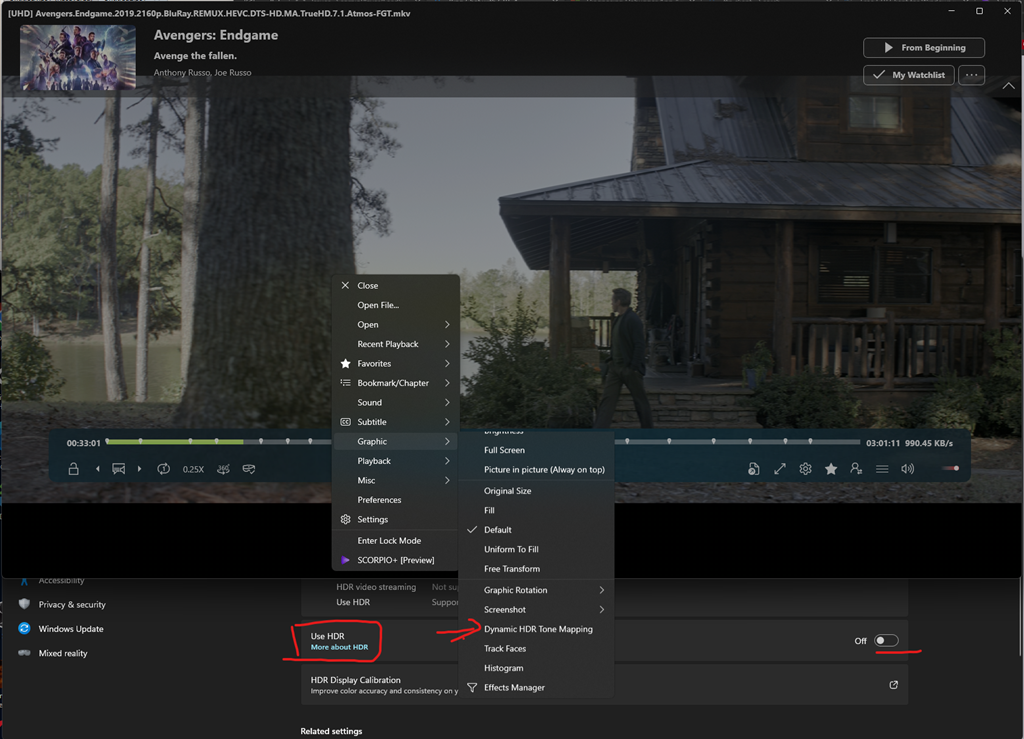
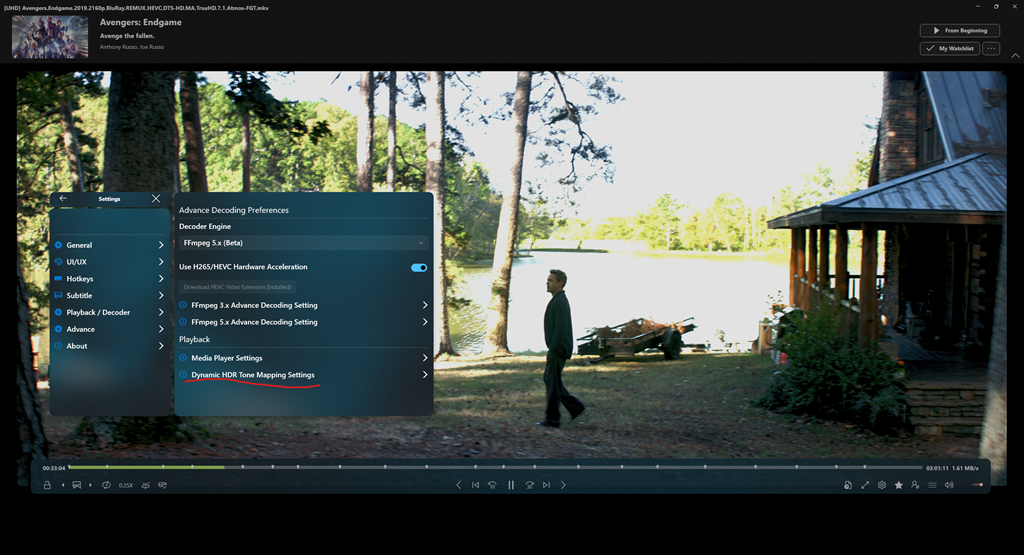
To enable Dynamic HDR Tone Mapping, you need to go to the Settings menu of Scorpio Player and select the Dynamic HDR Tone Mapping Settings option.
The Dynamic HDR Tone Mapping Settings option will open a page group that contains several settings that you can adjust. The first setting is Use Dynamic HDR Tone Mapping, which is a toggle switch that enables or disables the feature. If you turn it on, you will be able to adjust the other settings below.
The second setting is Reset Dynamic HDR Tone Mapping Settings, which is another toggle switch that resets all the settings to their default values.
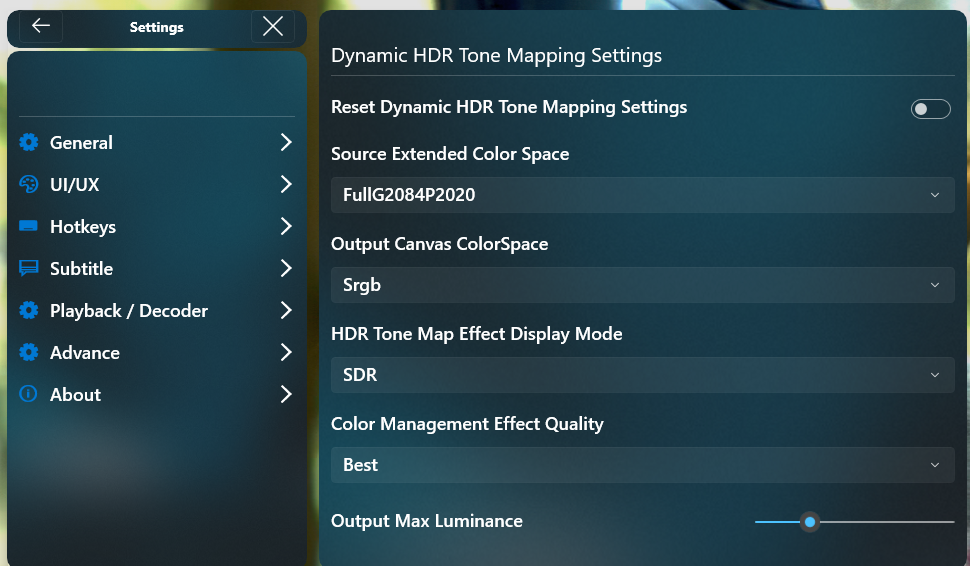
The third setting is Source Extended Color Space, which is a multi-value option that lets you choose the color space of the HDR content that you are playing. The color space defines how colors are represented and encoded in the content. Scorpio Player supports four color spaces for HDR content:
- FullG22P709: This is the standard color space for SDR content, which uses gamma 2.2 curve and Rec. 709 primaries.
- FullG10P709: This is a variant of FullG22P709 that uses gamma 10 curve instead of gamma 2.2 curve.
- StudioG22P709: This is another variant of FullG22P709 that uses studio levels instead of full levels.
- StudioG22P2020: This is the standard color space for HDR content, which uses gamma 2.2 curve and Rec. 2020 primaries.
You can choose the color space that matches the HDR content that you are playing, or experiment with different color spaces to see how they affect the tone mapping results.
These are the main features that you can use to customize the tone mapping process for your HDR content. For more details and advanced settings, please refer to the app documentation or contact the app support team. Thank you for using Scorpio Player and enjoy your HDR experience!